User experience tools for lean or agile teams.
Simple techniques to get you cheap, fast user data.
Bring design thinking into your dev process.
How-to descriptions so you can do it yourself.
One week to create a User Centered Design
Fast methods your team can use to learn about their users, turn that information into designs, and plan their upcoming sprints all in one week.
- Site visits to experience user pain first hand
- Experience maps to capture and display qualitative data from the visits
- Thumbnail personas to make it clear who the users are
- Scenarios to describe how the world could be
- Design charrette exercise to create inspired interactions
- Paper prototyping to build a high-level interface
- User testing the paper prototype to make sure it meets users’ needs
Stay user-focused during development
Once you start development work, you’ll have lots of user experience questions. Here are some techniques for staying on track to deliver real user delight.
- Improve your products by better meeting user needs – it’s often a case of building more empathy.
- Revolving door user tests to fit with short sprints
- Inspection methods – user techniques that don’t need users
- Second hand user data (coming soon)
- Using metrics and instrumentation to make usability decisions
- Repurposing support call and marketing survey information
- A/B testing
- Incremental user data – aggregating frequent small, fast, studies to check you’re on track
- You might end up hiring outside UX help – here are some tips for working with UX vendors (also useful if you are outsourcing dev work).
Rinse and repeat: gathering feedback for the next round
- Staying user-focused during development
- Find your experts: support call, sales team, forum feedback, and other second hand data (coming soon)
- Usage metrics (coming soon)
- Instrumentation (coming soon)
Tips to make your research more effective
- Work backwards to create better research questions
- Which method to use (cheat sheet)
- When to go on-site, when to usability test in your office
- Recruiting usability participants on a budget
- Improve your questioning technique
- Asking the right questions during studies
- Speeding up the user testing cycle to fit with short sprints
- Cheap, fast, and reliable data (multiple incremental studies)
What type of test can/should you use?
A cheat sheet to work out what discount method to use, and when to hire a specialist. Where you should run studies at different points in the dev cycle. Also, specific “how to” advice and things to watch out for with each discount method.
- Field studies and site visits
- Diary studies (coming soon)
- Intercept studies
- Usability studies
- Lab-based usability study (coming soon)
- RITE testing – the fast, responsive version of testing.
- Paper prototype user testing for fast, cheap feedback
- Competitor testing
- Online/remote usability study (coming soon) and remote testing tools
- Heuristic evaluation
- Cognitive walkthrough
- Card sorting
- Reverse sorting
- Instrumentation, analytics, data mining (coming soon)
- Survey questionnaires
- Focus groups
- A/B testing (coming soon)
- Desirability studies (coming soon)
- Participatory design, context mapping (coming soon)
- Conjoint analysis (coming soon)
- Interviews (coming soon)
Online tools to help you run cheap, fast studies
The web can bring your users to you, if you don’t mind losing some fidelity along the way. Check out a list of sites that specialize in different types of online testing.
Learn more with my online classes
I have created classes that go into these topics in more depth. They are hosted online at LinkedIn Learning. Here’s a taster and links to the full courses:
Design Thinking: Understanding the Process (40m)
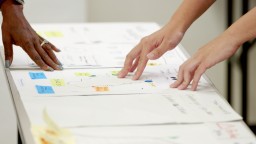
An overview of the activities you’ll undertake during a design thinking exercise, with discussion of the benefits of running the session in-house and unleashing the creativity of your own teams.
Design Thinking: Implementing the Process (45m)
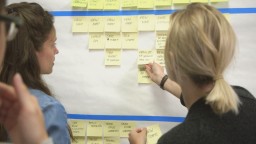
A deeper dive into each step of the design thinking process, to help would-be facilitators get up to speed with the philosophy and practicalities of running your own sessions.
Facilitating Remote Design Thinking (1h 20m)
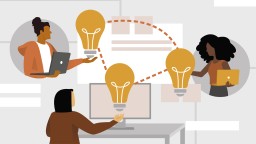
Need to run a Design Thinking exercise with your remote team? Here’s a companion course to my popular Design Thinking: Implementing the Process training. Includes a Miro template you can download and customize, and loads of tips on how to make such an intensive creative process work at a distance.
User Experience for Web Design (2h)
Learn how to apply simple design principles to web sites and other interfaces. These basic principles are the foundation for all interfaces.
Interaction Design for the Web (1h 45m)

The psychological reasons why good UI design works. These cognitive, perception, and physical concepts will let you see why people behave they way they do, so that you can build websites and apps that work the way your users think.
UX Foundations: Usability Testing (1h 30m)
The foundational method for user researchers. Learn how to recruit participants, create a study plan and test script, run a series of usability sessions, and then report the results back to a development team in an actionable way.
Learning to Write for the Web (1h 25m)
Writing for products and web sites is different to writing essays or fiction. Learn the key principles of online content creation, and the basics of layered or structured content designed for browsing and information retrieval.
If you aren’t already a LinkedIn Learning subscriber, then check with your employer or school – many have org-wide plans.